
JBL Speaker User Guide: A Comprehensive Overview (Updated 12/06/2025)
Welcome! This comprehensive guide details JBL speaker operation, maximizing your audio experience. Explore installation, troubleshooting, and features across various models,
from the Clip to Charge series.
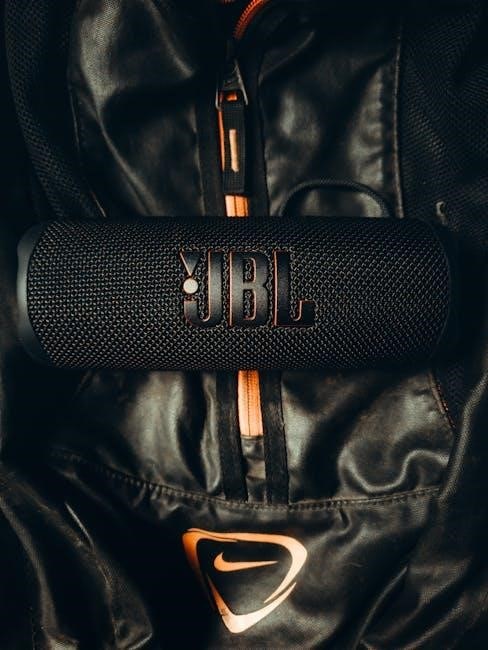
JBL, established in 1946, boasts a rich history as an American audio engineering company; Initially focused on professional-grade loudspeakers for cinemas and venues – including iconic locations like the People’s Great Hall, the Sydney Opera House, and the Water Cube – JBL has evolved into a globally recognized consumer audio brand. Their enduring presence at the top of portable Bluetooth speaker rankings speaks volumes about their commitment to quality and innovation.
From humble beginnings crafting high-fidelity speakers, JBL now offers a diverse portfolio catering to every audio need. Whether you’re seeking powerful sound for outdoor adventures with the Charge series, ultra-portability with the Clip or Go lines, or versatile performance with the Flip series, JBL delivers. The brand’s dedication extends to younger listeners with the JR series, prioritizing safe listening volumes for children.
This user guide aims to unlock the full potential of your JBL speaker, providing step-by-step instructions, troubleshooting tips, and insights into maximizing your listening experience.
Understanding JBL Speaker Models
JBL offers a diverse range of speakers, each designed for specific needs. The Clip Series (like the CLIP5) prioritizes portability and vibrant color options, ideal for on-the-go listening. Released in April 2024, the CLIP5 focuses on compact design and ease of use.
The Go Series (exemplified by the GO4, launched in March 2024) provides affordable, ultra-portable audio solutions. These are perfect for casual listening without compromising on sound quality. Stepping up, the Flip Series (such as the FLIP6) balances portability with enhanced sound and robust build quality, suited for both indoor and outdoor environments.
For those demanding power and extended playtime, the Charge Series (CHARGE5) delivers. These speakers function as portable power banks, charging your devices while playing music. Finally, the JR Series caters specifically to children, featuring volume-limiting technology to protect developing ears, ensuring safe listening up to 85dB.
JBL Clip Series: Features and Usage

The JBL Clip Series, notably the CLIP5 released in April 2024, excels in ultra-portability. Its integrated carabiner clip allows for easy attachment to bags, belts, or clothing, making it perfect for adventures. Despite its small size, the CLIP5 delivers surprisingly robust sound, characteristic of JBL’s audio engineering.
Key features include a waterproof design, ensuring durability against splashes and rain. The speaker boasts a vibrant range of color options to suit individual styles. Operation is straightforward: a single button controls power, volume, and playback. Battery life provides several hours of continuous listening, ideal for outdoor activities.
To use, simply charge the speaker via USB-C. Pair it with your smartphone or tablet via Bluetooth for wireless audio streaming. The Clip Series is designed for simplicity and convenience, offering a hassle-free listening experience. It’s a fantastic choice for those prioritizing portability without sacrificing sound quality.
JBL Go Series: Portable Audio Solutions
The JBL Go Series, with models like the Go4 launched in March 2024, represents JBL’s commitment to compact, affordable audio. These speakers are designed for maximum portability, easily fitting into a bag or even a pocket, making them ideal companions for travel or casual listening.
Despite their small footprint, Go Series speakers deliver surprisingly clear and punchy sound. They feature a durable construction, often including waterproof or water-resistant designs, enhancing their suitability for outdoor use. Pairing is simple via Bluetooth, connecting seamlessly with smartphones, tablets, and laptops.
The Go4 specifically offers improved bass performance compared to previous iterations. Battery life provides several hours of playtime on a single charge, and the integrated loop allows for convenient attachment to backpacks or other objects. These speakers are a cost-effective entry point into the JBL ecosystem, providing a balance of portability, durability, and sound quality.
JBL Flip Series: Outdoor & Versatile Speakers
The JBL Flip Series, exemplified by the Flip6 released recently, is renowned for its blend of portability, robust build quality, and impressive sound. These speakers are specifically engineered for outdoor adventures, boasting high levels of protection against water and dust, making them perfect for beach trips, hikes, or poolside gatherings.
A key characteristic of the Flip series is its cylindrical design, which facilitates 360-degree sound distribution. This ensures a consistent audio experience regardless of speaker placement. The Flip6, in particular, features a full-range transducer and a separate tweeter, delivering enhanced clarity and detail.
Connectivity is straightforward via Bluetooth, and many models include the option to pair multiple speakers for a stereo sound experience. The durable rubber housing and integrated loop provide added protection and portability. The Flip series strikes a balance between size, performance, and durability, making it a popular choice for versatile audio needs.
JBL Charge Series: Power and Performance
The JBL Charge Series, like the Charge5, prioritizes both powerful sound and extended battery life, making it ideal for extended listening sessions and outdoor events. These speakers are designed to deliver a substantial audio experience with enhanced bass, thanks to their larger drivers and optimized acoustic design.
A defining feature of the Charge series is its integrated power bank functionality. This allows you to charge your smartphones or tablets directly from the speaker, providing a convenient solution when access to power outlets is limited. The rugged construction and waterproof design ensure durability in various environments.
The Charge5, for example, boasts an IP67 waterproof rating, meaning it can withstand submersion in water. Connectivity options include Bluetooth, and PartyBoost allows for pairing with other compatible JBL speakers. The series offers a compelling combination of robust performance, extended playtime, and practical features, catering to users who demand both power and versatility.
Setting Up Your JBL Speaker
Initial Setup: Begin by unpacking your JBL speaker and identifying all included components – the speaker itself, a charging cable (typically USB-C), and potentially a quick start guide. Before first use, it’s highly recommended to fully charge the speaker using the provided cable and a suitable power adapter. Charging times vary by model, but generally take several hours.
Powering On: Locate the power button, usually marked with the power symbol (⏺). Press and hold this button until the speaker illuminates or emits a power-on chime. Some models feature an auto-off function to conserve battery life when inactive.
Positioning: Place your speaker on a stable, level surface. Avoid obstructing the speaker drivers or vents. For optimal sound quality, position the speaker away from walls and corners, allowing the sound to disperse freely. Consider the intended listening environment when choosing a location.
Bluetooth Pairing: A Step-by-Step Guide
Initiating Pairing Mode: Ensure your JBL speaker is powered on. Locate the Bluetooth button (often symbolized by the Bluetooth logo ⏰). Press and hold this button for several seconds until the Bluetooth indicator light begins to flash, signaling the speaker is in pairing mode. This makes the speaker discoverable by other devices.
Device Connection: On your smartphone, tablet, or computer, navigate to the Bluetooth settings menu. Enable Bluetooth if it’s not already active. Your JBL speaker should appear in the list of available devices. Select your speaker from the list to initiate the pairing process.
Confirmation & Connection: You may be prompted to enter a pairing code (typically “0000” if required). Once successfully paired, the Bluetooth indicator light on the speaker will usually turn solid, confirming a stable connection. Your device is now ready to stream audio wirelessly to your JBL speaker!
JBL Speaker Controls and Buttons
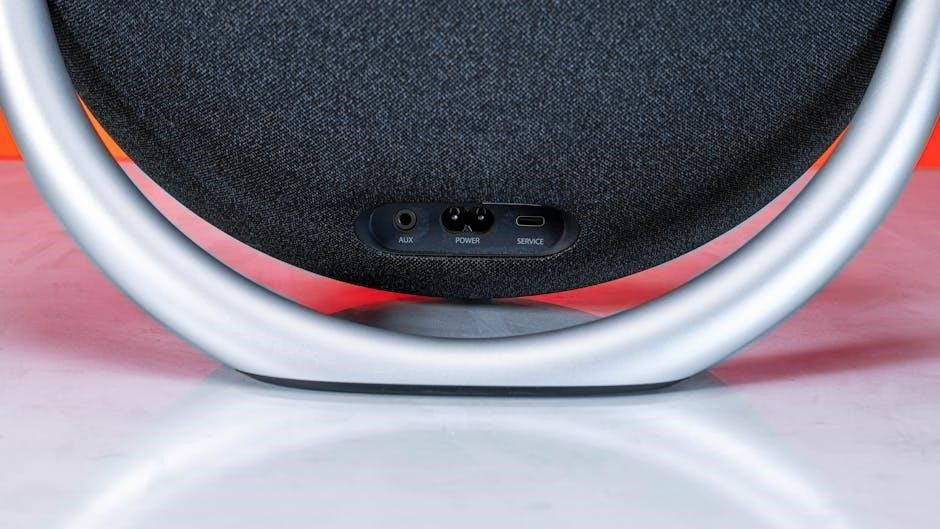
Power Button: Typically a long press activates or deactivates the speaker. A short press often indicates battery level via LED indicators. Understanding this is crucial for operation.
Bluetooth Button: As previously detailed, this initiates pairing mode. Holding it down often disconnects the current Bluetooth connection. It’s your gateway to wireless audio.
Volume Controls (+/-): These buttons adjust the speaker’s audio output. Some models feature tactile buttons, while others utilize touch-sensitive controls. Precise volume adjustment is key.
Play/Pause Button: A single press typically plays or pauses the currently streaming audio. Some models also incorporate track skipping functionality with double or triple presses.
Additional Buttons: Certain JBL speakers may include dedicated buttons for voice assistant activation, PartyBoost (for connecting multiple speakers), or source selection. Refer to your specific model’s documentation for details.
Understanding LED Indicators
Power LED: A solid light generally signifies the speaker is on, while a blinking light often indicates pairing mode or low battery. Color variations – like red for low battery – are common.
Bluetooth LED: A rapidly blinking blue light usually confirms pairing mode. A solid blue light indicates a successful Bluetooth connection. Disconnection is often signaled by a slower blink.
Battery LED: These indicators display the remaining battery life. Multiple LEDs, each representing a percentage of charge, are frequently used. Colors shift from green (full) to yellow (medium) to red (low).
Charging LED: A red light typically indicates the speaker is charging. This often changes to green when fully charged. Some models may not have a dedicated charging indicator.
Other Indicators: Certain models feature LEDs for specific functions like PartyBoost connection status or voice assistant activation. Always consult your speaker’s manual for a complete interpretation of LED behavior.
Optimizing Sound Quality
Speaker Placement: Position your JBL speaker on a stable, flat surface. Avoid placing it directly against walls or inside enclosed spaces, as this can distort the sound. Experiment with different locations to find the optimal listening experience.
Source Quality: High-resolution audio files deliver superior sound. Streaming services vary in quality; choose higher bitrate options when available. Lower quality sources will inherently limit the speaker’s potential.
Volume Levels: Avoid maxing out the volume, as this can introduce distortion. Find a comfortable listening level that balances clarity and loudness. JBL’s sound signature is designed for optimal performance at moderate volumes.

Equalization: Utilize the JBL Portable app (if applicable) to adjust the equalizer settings. Tailor the sound profile to your preferences and the genre of music you’re enjoying.
Firmware Updates: Regularly update your speaker’s firmware via the app. Updates often include sound enhancements and bug fixes, improving overall audio performance.
Waterproofing and Durability
IP Ratings Explained: JBL speakers often feature an IP rating (e.g;, IPX7). This indicates protection against water and dust. IPX7 means the speaker can withstand immersion in up to 1 meter of water for 30 minutes.
Care & Maintenance: While waterproof, avoid prolonged exposure to saltwater or chlorinated water. After water exposure, allow the speaker to air dry completely before charging. Rinse with fresh water if exposed to salt or chlorine.
Drop Resistance: While many JBL speakers are built to be durable, they aren’t indestructible. Avoid dropping the speaker onto hard surfaces. Consider a protective case for added protection during outdoor adventures.
Temperature Limits: Extreme temperatures can affect performance. Avoid exposing the speaker to direct sunlight for extended periods or operating it in very cold environments.
Cleaning: Clean the speaker with a soft, damp cloth. Avoid using harsh chemicals or abrasive cleaners, as these can damage the finish and internal components.
Troubleshooting Common Issues
No Power: Ensure the speaker is charged. Try a different charging cable and power adapter. If still no power, contact JBL support.
Bluetooth Connection Problems: Verify Bluetooth is enabled on your device. Remove the speaker from your device’s Bluetooth list and re-pair. Ensure the speaker isn’t connected to multiple devices simultaneously.
Sound Distortion: Lower the volume on both the speaker and your device. Ensure the audio source is of good quality. Reset the speaker to factory settings (refer to the manual).

Speaker Won’t Charge: Check the charging port for debris. Try a different USB port or wall adapter. A faulty battery may require professional repair.
App Connectivity Issues: Ensure the JBL app is updated to the latest version. Restart the app and your speaker. Check your internet connection.
Factory Reset: Consult your speaker’s manual for specific instructions on performing a factory reset, which can resolve many software-related issues.
Battery Life and Charging
Battery Life: JBL speaker battery life varies by model. Expect approximately 5-10 hours of playtime on a full charge, though the Charge series typically offers extended duration. Playtime is affected by volume level and audio content.
Charging: Use the provided USB cable and a 5V/2A power adapter for optimal charging. Avoid using fast chargers, as they can potentially damage the battery. A full charge usually takes 2-4 hours.
LED Indicators: The LED indicator displays charging status. Solid red indicates charging, while a solid green signifies a full charge. Flashing red often indicates low battery.
Battery Care: To maximize battery lifespan, avoid fully discharging the speaker frequently. Store the speaker in a cool, dry place when not in use. Avoid exposing the battery to extreme temperatures.
Power Bank Functionality: Certain JBL models (like the Charge series) can function as power banks, allowing you to charge your mobile devices via USB.

JBL Speaker App Features
JBL Portable App: Enhance your JBL speaker experience with the JBL Portable app, available for iOS and Android. This app unlocks a range of features designed for convenience and customization.
Equalizer Settings: Fine-tune the sound to your preference using the built-in equalizer. Adjust bass, treble, and mid-range frequencies for optimal audio quality across various genres.
Stereo Pair: Connect two compatible JBL speakers for a wider, more immersive stereo soundstage. The app simplifies the pairing process and ensures synchronized playback.
Firmware Updates: Keep your speaker’s firmware up-to-date through the app. Updates often include bug fixes, performance improvements, and new features.
PartyBoost: Compatible speakers can be linked using PartyBoost, allowing you to create a multi-speaker system for larger gatherings. Control all speakers simultaneously from the app.
JBL Speakers for Children: JR Series
JBL JR Series: Designed with kids in mind, the JBL JR series offers durable, kid-friendly Bluetooth speakers. These speakers prioritize safety and deliver high-quality audio in a robust package.
Volume Limiter: A key feature of the JR series is the built-in volume limiter, capping the sound output at 85dB. This protects developing ears from potential hearing damage, providing peace of mind for parents.
Durable Design: Constructed with rugged materials and often featuring splashproof designs, JR speakers can withstand the bumps and spills of everyday kid life. They’re built to last!
Kid-Friendly Aesthetics: Available in bright colors and playful designs, the JR series appeals to children’s tastes. They’re fun to look at and easy for little hands to operate.
Parental Control: The series emphasizes safe listening habits, offering features that allow parents to control volume levels and ensure a safe audio experience for their children.