
Cheat Sheet: Heat Transfer Vinyl Hoodie Logo Placement Guide
Navigating hoodie decoration requires precision; consider 34 down from the collar or 4-6 over from center.
Successful application hinges on careful planning and execution‚ ensuring a professional finish for your custom designs.
Understanding Hoodie Anatomy for Vinyl Application
Before beginning any heat transfer vinyl (HTV) application‚ grasping hoodie construction is crucial. Hoodies aren’t flat canvases; they feature seams‚ pockets‚ a hood‚ and varying fabric layers. Understanding these elements impacts logo placement and design size. Seams‚ particularly shoulder and side seams‚ can restrict design flexibility and comfort.
Consider the hood’s drape and how it interacts with designs placed on the upper back. Pockets‚ if present‚ offer a unique placement option but require careful sizing to avoid distortion when the pocket is in use. Different hoodie materials – fleece‚ French terry‚ or blends – also affect HTV adhesion and require adjusted heat press settings. Recognizing these anatomical nuances ensures a smooth‚ durable‚ and visually appealing final product; Proper preparation is key to avoiding bubbling‚ peeling‚ or cracking of the vinyl.
Hoodie Material Considerations for HTV
Selecting the correct HTV for your hoodie’s fabric is paramount for a lasting bond. Common hoodie materials include cotton‚ polyester‚ and blends‚ each demanding a specific HTV type. For 100% cotton‚ a standard HTV works well‚ but polyester requires a specialized HTV formulated for synthetic fibers. Blends necessitate careful consideration of the dominant fiber.
Stretch is another critical factor; DTF and HTV perform well on stretch fabrics with proper heat and pressure‚ while screen printing may need stretch inks. Heavier fabrics like fleece may require higher heat and dwell times for optimal adhesion. Always test a small sample area before applying the full design. Ignoring material compatibility can lead to peeling‚ cracking‚ or a faded appearance after washing. Proper HTV choice ensures durability and maintains the hoodie’s quality through numerous washes – often 20-50 washes for screen prints and 50-100 for DTF transfers.
Tools You’ll Need for Successful Application
Achieving a professional HTV application requires more than just vinyl and a hoodie. A quality heat press is essential‚ offering consistent temperature and pressure. Alongside the press‚ you’ll need a Teflon sheet or parchment paper to protect both the vinyl and the heat press platen.
Precision tools are also vital: a weeding tool for removing excess vinyl‚ a ruler or measuring tape for accurate logo positioning‚ and a cutting machine for creating intricate designs. Don’t forget a heat-resistant tape to secure the vinyl in place during pressing. A lint roller helps ensure a clean hoodie surface for optimal adhesion. Finally‚ a pressing pillow can provide even pressure on thicker fabrics. Investing in these tools will significantly improve your results and streamline the application process.

Optimal Logo Placement Locations
Strategic placement enhances visibility and style; consider the center chest‚ left chest‚ sleeves (upper and lower)‚ and upper or lower back areas for impactful designs.
Center Chest Logo Placement
The center chest is a classic and highly visible location for hoodie logos‚ offering a balanced and impactful aesthetic. This placement works exceptionally well for brand logos‚ team emblems‚ or bold graphic designs. To achieve optimal alignment‚ measure carefully – 34 down from the collar is a frequently recommended starting point.
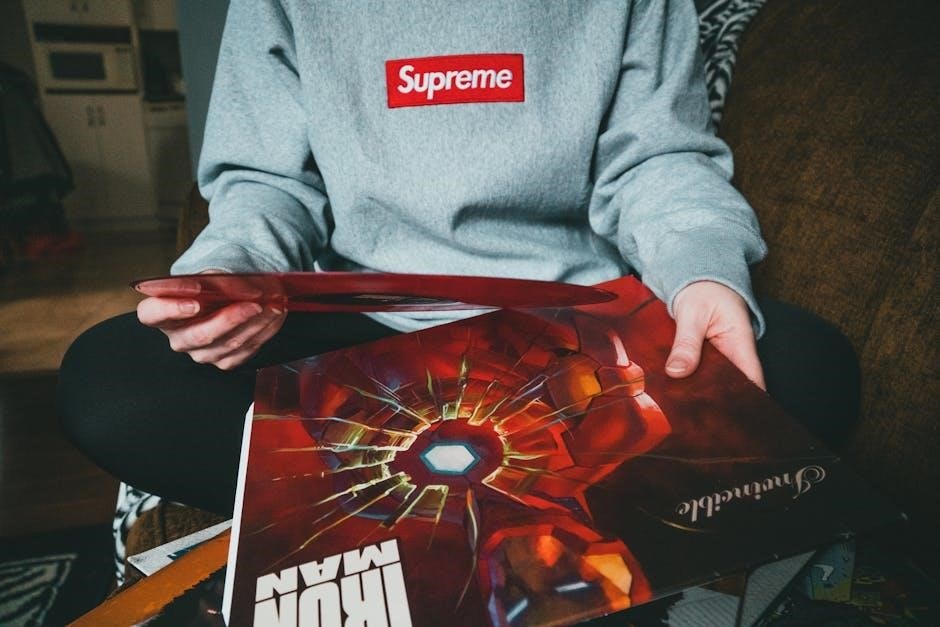
However‚ consider the hoodie’s size and the logo’s dimensions. Larger logos may benefit from a slightly lower placement‚ while smaller designs might look best closer to the collar. Ensure the logo is centered horizontally‚ using the hoodie’s centerline as a guide – approximately 4-6 inches over from each side is a good rule of thumb.
This area is ideal for designs intended to make a strong statement. Remember to account for the hoodie’s seams and pockets when positioning the logo‚ ensuring it remains visually appealing and unobstructed. Proper centering and consistent measurements are key to a professional-looking result.
Left Chest Logo Placement
Positioning a logo on the left chest creates a subtle yet stylish look‚ often favored for smaller designs or branding elements. This placement is particularly effective for logos that complement a larger back design or sleeve graphic. When applying a transfer vinyl pocket size decal‚ ensure it’s situated on the left side of the chest for a balanced appearance.
Unlike the center chest‚ left chest logos typically are smaller and more understated. Consider the wearer’s movement; avoid placing the logo too close to the armhole to prevent distortion or discomfort. Measure carefully from the shoulder seam and the bottom of the hoodie to ensure consistent placement across different sizes.
This location is ideal for embroidered-look designs or minimalist logos. It’s a great option for adding a touch of personality without overwhelming the overall hoodie aesthetic. Precise alignment and a well-chosen logo size are crucial for a polished finish.
Sleeve Logo Placement ー Upper Arm
Upper arm logo placement offers a dynamic and eye-catching design element‚ perfect for showcasing brand identity or adding a unique flair to hoodies. This location works exceptionally well with bolder designs or logos that benefit from the movement of the arm. Consider the stretch of the fabric; DTF and HTV perform well with proper heat and pressure‚ while screen printing may require stretch inks to avoid cracking.
When positioning the logo‚ ensure it’s centered on the upper arm and a consistent distance from the shoulder seam across all hoodie sizes. Avoid placing the design too close to the armpit‚ as this area experiences significant friction and wear. A smaller‚ streamlined logo often works best on the upper arm to maintain comfort and avoid hindering movement.
This placement is ideal for logos that complement a chest or back design‚ creating a cohesive and visually appealing look. Remember to test the heat press settings to ensure the vinyl adheres properly to the fabric without compromising its elasticity.
Sleeve Logo Placement ー Lower Arm
Lower arm logo placement presents a more subtle yet stylish option‚ ideal for smaller logos or designs that add a touch of personality. This area allows for a unique visual element that doesn’t dominate the overall hoodie aesthetic. However‚ consider the fabric’s stretch; DTF and HTV are reliable choices‚ but screen printing needs stretch inks to prevent cracking with arm movement.
Positioning is key – center the logo on the lower arm‚ maintaining a consistent distance from the wrist and the arm seam. Avoid designs that wrap completely around the arm‚ as this can restrict movement and affect comfort. A linear or vertically oriented logo generally works best in this location.
This placement pairs well with a chest or back logo‚ creating a balanced and coordinated design. Prioritize testing heat press settings to guarantee proper adhesion and durability‚ especially given the arm’s frequent bending and stretching.
Back Logo Placement ⸺ Upper Back
Upper back logo placement offers a prominent canvas for larger‚ bolder designs. This location is excellent for showcasing team logos‚ impactful graphics‚ or detailed artwork. It’s a classic choice that provides high visibility without interfering with the front design. Consider the hoodie’s overall style; a minimalist design might benefit from a larger back logo to create balance.
Centering the logo between the shoulder seams is crucial for a symmetrical look. Ensure sufficient space between the logo and the hood’s neckline to avoid distortion when the hood is up. Precise logo positioning with a ruler is vital for a professional finish.
Remember to account for shoulder movement and potential stretching of the fabric. DTF and HTV generally perform well‚ but proper heat and pressure are essential for longevity. Testing is key to ensure the design withstands regular wear and washing – aiming for 20-50 washes for screen prints.
Back Logo Placement ー Lower Back
Lower back placement is ideal for designs that complement a more subtle upper back graphic or stand alone as a statement piece. This area allows for wider designs‚ but careful consideration of length is crucial to avoid awkward positioning when the hoodie is worn. It’s a good spot for text-based logos or designs that follow the curve of the back.
Ensure the logo sits comfortably above the waistband‚ avoiding any potential bunching or distortion when seated. Use a ruler to measure from the shoulder seam down to determine the optimal starting point. Consider the wearer’s range of motion; the design shouldn’t feel restrictive.
Heat press settings are vital here‚ as lower back fabric can experience more stress. DTF transfers can offer good wash durability (50-100 washes with care)‚ while HTV requires a strong bond. Always test pressure and time to guarantee a lasting application.
Sizing Your Logo for Different Hoodie Sizes
Accurate sizing is paramount for a polished look; scaling designs appropriately for Small (S) to Extra Large (XL) hoodies ensures visual balance and professional results.
Small (S) Hoodie Logo Dimensions
For Small (S) sized hoodies‚ maintaining proportional logo sizing is crucial for a balanced aesthetic. Generally‚ a logo width of 3-4 inches is recommended for the center chest‚ providing sufficient visibility without overwhelming the garment.
When positioning a left chest logo‚ consider a width of 2-2.5 inches. Sleeve logos on a small hoodie should be kept relatively concise – approximately 2 inches in height for the upper arm and 1.5 inches for the lower arm.

Back logos also require scaling down. An upper back logo should ideally measure around 6-8 inches in width‚ while a lower back design can be slightly smaller‚ around 4-6 inches. Remember these are guidelines; adjust based on logo complexity and desired impact. Always test a sample application before committing to a full production run to ensure optimal visual appeal and wearer comfort.
Prioritize readability and avoid excessively small details that may become lost or distorted after application and washing.
Medium (M) Hoodie Logo Dimensions

Medium (M) hoodies offer a slightly larger canvas‚ allowing for modestly increased logo dimensions. For a center chest placement‚ a logo width of 4-5 inches strikes a good balance between prominence and proportion.
Left chest logos on a medium hoodie can comfortably measure 2.5-3 inches in width‚ providing clear visibility without appearing bulky. Sleeve logos should also scale up – aim for approximately 2.5 inches in height for the upper arm and 2 inches for the lower arm.
Back logos benefit from the increased space. An upper back logo could extend to 8-10 inches in width‚ while a lower back design could be around 5-7 inches.
Remember to consider the logo’s intricacy; detailed designs may require slightly larger dimensions for clarity. Always perform a test application to verify the visual impact and ensure the logo complements the hoodie’s overall aesthetic.
Large (L) Hoodie Logo Dimensions
Large (L) hoodies provide ample space for bolder‚ more impactful logo designs. For a prominent center chest placement‚ a logo width of 5-6 inches is ideal‚ ensuring visibility without overwhelming the garment.
Left chest logos on a large hoodie can comfortably reach 3-3.5 inches in width‚ offering a noticeable yet balanced aesthetic. Sleeve logos should also increase in size; aim for approximately 3-3.5 inches in height for the upper arm and 2.5 inches for the lower arm.
The back of a large hoodie allows for substantial designs. An upper back logo could extend to 10-12 inches in width‚ while a lower back design could be around 7-9 inches.
Consider the design’s complexity; intricate details benefit from larger dimensions. Always test the application to confirm the visual balance and ensure the logo enhances the hoodie’s overall appearance.
Extra Large (XL) Hoodie Logo Dimensions
Extra Large (XL) hoodies offer the greatest canvas for impactful designs‚ allowing for significant logo scaling. For a commanding center chest presence‚ a logo width of 6-7 inches is recommended‚ ensuring it’s easily visible and proportionate to the larger size;
Left chest logos on XL hoodies can comfortably measure 3.5-4 inches in width‚ providing a noticeable accent without appearing disproportionate. Sleeve logos should also increase; target 3.5-4 inches in height for the upper arm and 3 inches for the lower arm.
The back of an XL hoodie accommodates substantial designs. An upper back logo could span 12-14 inches in width‚ while a lower back design could reach 9-11 inches.
Remember to account for design intricacy; detailed graphics require larger dimensions for clarity. Always perform a test application to verify visual balance and ensure the logo complements the hoodie’s overall aesthetic.
Application Techniques & Best Practices
Precise positioning with a ruler is key‚ alongside careful weeding for clean lines. Proper heat press settings and testing ensure durability and a professional result.
Precise Logo Positioning with Measurements
Achieving accurate logo placement on a hoodie demands meticulous measurement and a systematic approach. Begin by laying the hoodie flat on a clean‚ even surface. Utilize a ruler or measuring tape to establish key reference points. A common starting point is 34 down from the collar‚ providing a balanced aesthetic for center chest designs.
Alternatively‚ for designs centered on the chest‚ measure 4-6 inches over from the centerline. For left chest logos‚ carefully consider the pocket placement‚ ensuring the design sits comfortably to the left side. Consistent measurements across all hoodie sizes are crucial for maintaining brand consistency.
Before applying any heat‚ dry-fit the logo to visualize the final placement. This allows for adjustments and prevents costly errors. Remember to account for sleeve curvature when positioning logos on the sleeves. Precise measurements are the foundation of a professional-looking‚ well-executed heat transfer vinyl application.
Weeding Your HTV Design for Clean Lines
The weeding process is paramount for achieving a crisp‚ professional finish with heat transfer vinyl. This crucial step involves removing the excess vinyl material surrounding your desired design‚ leaving only the image to be transferred. Employ a sharp weeding tool – a hook or pin – to carefully lift and peel away the unwanted vinyl.
Begin by weeding the interior details of your logo‚ such as the centers of letters or intricate shapes. Then‚ move onto the outer edges‚ ensuring clean‚ defined lines. Take your time and work under good lighting to avoid mistakes. A well-weeded design guarantees a smooth‚ seamless application onto the hoodie fabric.
Remember‚ this process ensures your logo is clean and well-defined. Inspect the weeded design thoroughly before heat pressing to confirm all unwanted vinyl has been removed‚ preventing any imperfections in the final product.
Heat Press Settings for Hoodie Fabrics
Achieving a durable bond between your HTV and the hoodie requires precise heat press settings. These settings vary depending on the fabric composition of the hoodie. For 100% cotton hoodies‚ a temperature of 305°F (152°C) for 15-20 seconds with medium pressure is generally recommended.
However‚ polyester or poly-cotton blends may require slightly different settings – typically around 320°F (160°C) for the same duration. Always consult the HTV manufacturer’s instructions for their specific recommendations‚ as different vinyl brands may have unique requirements.
DTF and HTV perform well with proper heat and pressure‚ while screen printing may need stretch inks. Testing pressure and time is vital. Ensure even heat distribution across the entire design area for optimal adhesion and a long-lasting result.
Testing Heat Press Pressure and Time
Before committing to a full production run‚ thoroughly test your heat press settings on a scrap piece of the hoodie fabric. This crucial step ensures optimal adhesion and prevents potential damage to your garment or vinyl. Start with the manufacturer’s recommended settings as a baseline.
Apply the HTV to the test fabric and press for the suggested time. Allow the fabric to cool completely before attempting to peel the vinyl. If the vinyl lifts easily‚ increase the pressing time or pressure slightly. Conversely‚ if the vinyl appears scorched or the fabric is damaged‚ reduce the temperature or pressure.

Repeat this process‚ making small adjustments until you achieve a secure‚ clean bond. Remember‚ consistent testing is key to achieving professional-quality results and maximizing the longevity of your HTV application.
Post-Application Care Instructions for HTV Hoodies

To maximize the lifespan of your heat transfer vinyl (HTV) application‚ proper garment care is essential. Instruct recipients to turn hoodies inside out before washing. Machine wash in cold water on a gentle cycle‚ avoiding harsh detergents or bleach. These can degrade the vinyl’s adhesive properties.
Tumble dry on low heat or‚ ideally‚ hang to dry. High heat can cause the vinyl to crack or peel. Avoid ironing directly over the HTV design; if ironing is necessary‚ place a Teflon sheet or parchment paper between the iron and the vinyl.
Generally‚ DTF transfers withstand 50-100 washes with proper care‚ while screen prints can last 20-50 washes. Following these guidelines will help maintain the vibrancy and integrity of the design for years to come.