Shark Rocket Instruction Manual: A Comprehensive Guide
Welcome! This guide provides detailed instructions for Shark Rocket models (UV480, HV371, HV302, HV380UK), ensuring optimal performance and longevity.
Access PDF manuals, troubleshooting tips, and warranty details for your specific Shark vacuum.
Safety is paramount; always follow precautions before use and maintain your device properly.
The Shark Rocket is a versatile, lightweight vacuum designed for powerful cleaning on various surfaces. Renowned for its DuoClean technology, it seamlessly transitions between hard floors and carpets, delivering a consistently thorough clean.
This innovative vacuum boasts a convertible design, easily switching from an upright to a handheld mode for tackling stairs, upholstery, and tight spaces. Multiple models, including the UV480, HV371, HV302, and HV380UK, cater to diverse cleaning needs, often featuring specialized attachments like crevice tools and dusting brushes.

Understanding your Shark Rocket’s features and following this manual will maximize its cleaning potential and ensure years of reliable performance. Proper maintenance, including filter cleaning and brushroll upkeep, is crucial for sustained suction power.
Unboxing and Component Identification
Upon unboxing your Shark Rocket, carefully verify all components are present. You should find the main vacuum body, the wand, a floor nozzle (often DuoClean), the dust cup, and a selection of attachments – typically a crevice tool and a dusting brush. Some models include an upholstery tool or a pet power brush.
Inspect each part for any shipping damage. The dust cup should click securely into place. The wand connects to both the vacuum body and the floor nozzle, allowing for extended reach. Familiarize yourself with the location of the power button and suction control settings.
Refer to the included owner’s guide for a detailed diagram identifying each component specific to your Shark Rocket model (UV480, HV371, HV302, HV380UK).
Safety Precautions and Warnings
Important: Always disconnect your Shark Rocket from the power outlet before performing any maintenance or troubleshooting. Never operate the vacuum with a damaged cord or plug. Avoid using outdoors or on wet surfaces.
Do not use the vacuum to pick up flammable liquids or combustible materials. Keep hair, loose clothing, and fingers away from moving parts, especially the brushroll. Use only Shark-approved replacement parts to prevent damage or injury.
This appliance is not intended for use by persons with reduced physical, sensory, or mental capabilities. Supervise children to ensure they do not play with the vacuum. Refer to the owner’s guide for complete safety instructions.
Understanding the Different Shark Rocket Models (UV480, HV371, HV302, HV380UK)
Shark Rocket vacuums come in various models, each with unique features. The UV480 boasts DuoClean technology for both hard floors and carpets. The HV371, a Pro model, offers powerful suction and specialized pet tools. The HV302 is a lightweight, versatile option ideal for quick cleanups.
The HV380UK, designed for the UK market, includes specific attachments for European outlets and cleaning needs. While core functionality remains consistent across models – powerful suction and convertible design – accessory kits and specific features differ.
Consult your model’s specific user manual (available as a PDF) for detailed information regarding its capabilities and included components.
Assembling Your Shark Rocket
Assembling your Shark Rocket is straightforward. Begin by securely attaching the wand to the main body – ensure a firm click to guarantee a stable connection. Next, connect the floor nozzle; again, listen for a secure locking sound. Finally, install the dust cup, aligning it properly until it latches into place.
Double-check all connections before use to prevent parts from detaching during operation. Refer to your model’s owner’s guide for visual diagrams if needed. Proper assembly is crucial for optimal suction and efficient cleaning performance.
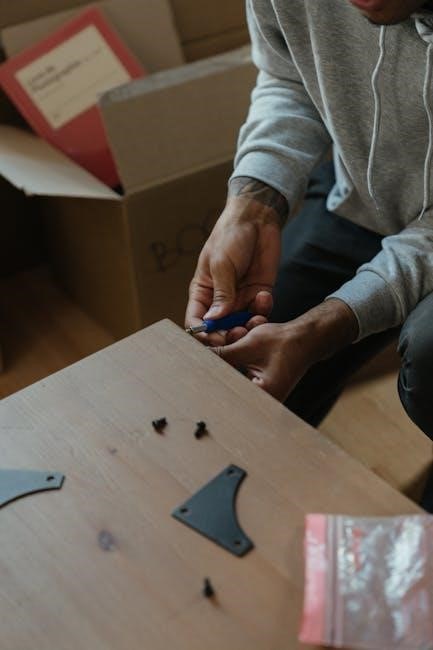
Incorrect assembly may lead to reduced cleaning power or potential damage to the vacuum.
Attaching the Wand
Attaching the wand to your Shark Rocket is the first step in assembly. Locate the wand port on the vacuum body. Firmly insert the wand into this port, rotating it slightly if necessary, until you hear a distinct “click”. This click confirms a secure connection, preventing detachment during vacuuming.

Ensure the wand is fully inserted; a loose connection will reduce suction power. If you encounter resistance, double-check the alignment. The wand provides extended reach for cleaning floors, ceilings, and hard-to-reach areas.
Refer to your model’s user manual for specific diagrams illustrating the wand attachment process.
Connecting the Floor Nozzle
Connecting the floor nozzle is crucial for effective floor cleaning with your Shark Rocket. Align the nozzle with the end of the attached wand. Push the nozzle onto the wand until it clicks securely into place – a solid connection is vital for maintaining suction.
Different Shark Rocket models may have slightly varying nozzle attachment mechanisms; consult your specific user manual for detailed instructions and diagrams. Ensure the brushroll is visible and free to rotate once connected.
A properly attached floor nozzle allows seamless transition between floor types, maximizing cleaning performance.
Installing the Dust Cup
Installing the dust cup is the first step in preparing your Shark Rocket for operation. Locate the dust cup – it’s typically a clear, cylindrical container. Align the dust cup with the designated port on the main body of the vacuum.

Push the dust cup firmly into place until it clicks, ensuring a secure and airtight seal. This prevents dust and debris from escaping during vacuuming. Regularly check the dust cup’s locking mechanism to confirm it remains properly attached.
Refer to your model’s user manual for specific installation details, as designs may vary. A correctly installed dust cup is essential for optimal suction and performance.
Powering On and Basic Operation
Powering on your Shark Rocket is straightforward. Locate the power button, usually positioned on the handle or the main body. Press the button once to initiate the low-power setting, ideal for delicate surfaces. Press again for medium power, suitable for general cleaning.

A third press typically activates the high-power mode, best for deep cleaning carpets and stubborn debris. To switch off, press the power button until the indicator light turns off. Ensure the brushroll is free from obstructions before operation.
Always consult your specific model’s user manual for detailed instructions and safety guidelines.
Adjusting Suction Control
Shark Rocket vacuums often feature adjustable suction control, enhancing versatility. Typically, a slider or dial on the handle or vacuum body regulates airflow. Lowering the suction is crucial when cleaning delicate fabrics like curtains or lampshades, preventing damage.
Increasing suction maximizes cleaning power on carpets and hard floors with embedded dirt. Observe the floor type and debris level to determine the optimal setting. Some models have an “Auto” mode, intelligently adjusting suction based on surface detection.
Refer to your user manual for specific instructions on your model’s suction control features.
Using the Brushroll Settings
Shark Rocket models offer varied brushroll settings for optimal cleaning on different surfaces. A dedicated “Hard Floor” mode typically disables the brushroll, preventing scratching and scattering debris on wood or tile. This setting relies on suction for effective cleaning.

“Carpet Mode” engages the brushroll, agitating carpet fibers to lift embedded dirt and pet dander. Some models feature a “Deep Clean” option for particularly soiled carpets, increasing brushroll speed and suction. Always check for obstructions before activating the brushroll.
Consult your user manual for specific details on brushroll control for your Shark vacuum.
Hard Floor Mode
Hard Floor Mode on your Shark Rocket is designed for gentle yet effective cleaning of sealed hardwood, tile, laminate, and vinyl floors. This setting typically disables the brushroll, preventing potential scratching or damage to delicate surfaces.
Instead of agitation, Hard Floor Mode relies heavily on powerful suction to lift dust, dirt, and debris. This prevents scattering and ensures a polished finish. Some models may have a specific hard floor attachment for enhanced performance.
Always refer to your user manual to confirm the correct operation and ensure compatibility with your specific floor type.
Carpet Mode
Carpet Mode on your Shark Rocket activates the brushroll for deep cleaning of carpets and rugs. The brushroll agitates carpet fibers, loosening embedded dirt, dust, and pet dander for powerful suction removal.
For optimal performance, adjust the suction control to the appropriate level based on your carpet’s pile height. Higher pile carpets may require increased suction. Some models feature a “Deep Clean” mode within Carpet Mode for even more intensive cleaning.
Regularly inspect and maintain the brushroll to prevent tangling and ensure efficient operation. Consult your user manual for specific instructions.
Converting to Handheld Mode
Shark Rocket’s versatile design allows quick conversion to handheld mode for cleaning above-floor surfaces. Simply detach the wand and floor nozzle from the main body of the vacuum. This creates a lightweight, portable unit ideal for stairs, upholstery, and car interiors.
Utilize the included attachments – crevice tool, dusting brush, and upholstery tool – for targeted cleaning in handheld mode. Ensure the dust cup is securely attached before operation.
Refer to your specific model’s user manual for detailed instructions and safety precautions when switching between floor and handheld configurations.
Utilizing the Included Attachments
Shark Rocket vacuums come equipped with several attachments to enhance cleaning versatility. The crevice tool excels at reaching tight spaces, corners, and along edges. The dusting brush gently cleans delicate surfaces like furniture and lampshades, preventing scratches.
For upholstery, the upholstery tool effectively removes pet hair and debris from sofas, chairs, and car seats. Attachments easily connect to either the wand or directly to the handheld unit.
Consult your user manual for specific attachment usage guidelines and ensure a secure connection before operation. Proper attachment use maximizes cleaning efficiency.
Crevice Tool
The Shark Rocket’s crevice tool is designed for precision cleaning in hard-to-reach areas. This narrow attachment effectively tackles dust, dirt, and debris lodged between cushions, along baseboards, and in tight corners.
Simply attach the crevice tool to the wand or the handheld unit for extended reach or focused cleaning. Its slender profile allows access where standard vacuum heads cannot fit.
Use the crevice tool to clean car interiors, around furniture legs, and along edges of stairs. Regular use helps maintain a consistently clean environment. Refer to your user manual for optimal performance.
Dusting Brush
The Shark Rocket’s dusting brush is ideal for gently cleaning delicate surfaces and removing dust from furniture, shelves, and window sills. Its soft bristles prevent scratching while effectively capturing particles.
Attach the dusting brush to the wand or handheld unit for versatile cleaning. This attachment excels at reaching high areas and intricate details. It’s perfect for lampshades, picture frames, and decorative items.

Regularly dusting with the Shark attachment minimizes allergens and maintains a pristine home environment. Consult your user manual for specific cleaning recommendations and optimal brush care.
Upholstery Tool
The Shark Rocket’s upholstery tool is designed for effective cleaning of sofas, chairs, and other fabric surfaces. It effortlessly removes pet hair, dust, and debris embedded within upholstery fibers.

Attach the tool to the wand or handheld mode for targeted cleaning. Its specialized design agitates and lifts dirt, restoring freshness to your furniture. This attachment is particularly useful for homes with pets or allergy sufferers.
For optimal results, vacuum frequently and consider using the brushroll-off feature to protect delicate fabrics. Refer to your Shark vacuum’s manual for specific upholstery cleaning guidelines.
Emptying and Cleaning the Dust Cup
Regularly emptying the Shark Rocket’s dust cup is crucial for maintaining suction power and optimal performance. Detach the dust cup by releasing the latch – typically located on the bottom.
Empty the contents into a trash receptacle, avoiding overfilling. For thorough cleaning, wash the dust cup with cool water and mild detergent. Ensure it’s completely dry before reattaching it to the vacuum.
Periodically check the dust cup for blockages and remove any debris. A clean dust cup ensures efficient dirt collection and prevents unpleasant odors. Consult your Shark’s manual for detailed instructions.
Maintaining the Brushroll
The Shark Rocket’s brushroll requires regular maintenance to prevent tangling and maintain effective cleaning. Begin by powering off and unplugging the vacuum. Locate the brushroll access door, usually on the underside of the floor nozzle.
Remove the brushroll and carefully clear away any hair, string, or debris wrapped around it. A seam ripper or small scissors can be helpful. Inspect the brushroll for damage and replace if necessary.
Ensure the brushroll spins freely before reattaching it. A well-maintained brushroll guarantees optimal carpet and floor cleaning performance. Refer to your user manual for specific model instructions.
Filter Cleaning and Replacement
Maintaining clean filters is crucial for your Shark Rocket’s suction power and air quality. Regularly check both the pre-motor and post-motor filters. The pre-motor filter, often foam or felt, should be hand-washed with cold water, squeezed dry, and allowed to air dry completely before reuse – do not use detergents.
The post-motor filter, typically a HEPA filter, may be washable depending on the model; consult your user manual. Replace filters every few months, or as needed, to ensure optimal performance. A clogged filter reduces suction and can strain the motor.
Troubleshooting Common Issues
Loss of suction is often caused by a full dust cup, clogged filters, or a blockage in the wand or hose. Empty the dust cup and clean the filters first. Inspect the wand and hose for obstructions, removing any debris. If the brushroll isn’t spinning, check for tangled hair or strings wrapped around it.
Ensure the power cord is securely plugged in and the suction control is set appropriately. For persistent issues, consult the Shark website or PDF manual for model-specific troubleshooting steps. Avoid forcing anything through blockages to prevent damage.
Loss of Suction
Reduced suction power typically stems from a few common culprits. First, verify the dust cup isn’t full – an overflowing cup drastically limits airflow. Next, inspect and clean the filters; clogged filters significantly impede suction. Examine the wand, hose, and floor nozzle for blockages like debris or tangled hair.
Ensure all connections are secure and airtight. Check the suction control setting; lower settings reduce power. If problems persist, consult your Shark Rocket’s PDF manual for detailed diagrams and troubleshooting specific to your model.
Brushroll Not Spinning
If your Shark Rocket’s brushroll isn’t rotating, begin by powering off the vacuum and disconnecting it from the power source. Inspect the brushroll for tangled hair, string, or debris – remove any obstructions carefully. Check the brushroll housing for blockages as well.
Ensure the brushroll is properly seated and locked into place. Verify the suction control isn’t set to a ‘hard floor’ mode where the brushroll may disengage. If the issue continues, consult the user manual for specific troubleshooting steps related to your model (UV480, HV371, etc.).
Replacing Parts and Accessories
Maintaining your Shark Rocket often requires replacing worn parts. Genuine Shark replacement parts ensure optimal performance and prevent damage. Common replacements include brushrolls, filters, dust cups, and attachments like the crevice tool or dusting brush.
You can purchase replacements directly from the Shark website or authorized retailers. Always verify the part number matches your specific Rocket model (HV302, HV380UK, etc.). Refer to your user manual or the Shark support website for detailed instructions on how to safely install new components. Using non-genuine parts may void your warranty.
Downloading the Official Shark Rocket PDF Manual
Accessing the official Shark Rocket PDF manual is simple and provides a comprehensive resource for all your vacuuming needs. Visit the official Shark website – sharkclean.com – and navigate to the support section.
Enter your specific model number (UV480, HV371, HV302, HV380UK) in the search bar to locate the correct manual. You can then download the PDF file directly to your device for offline access. This digital version includes detailed instructions, troubleshooting guides, and safety precautions. Having the manual readily available ensures you can quickly address any questions or concerns.
Warranty Information
Shark offers a limited warranty on its Rocket vacuum cleaners, protecting against defects in materials and workmanship. The standard warranty period is typically one (1) year from the date of purchase, though extended warranties may be available.
This warranty covers parts and labor for repairs or replacement, at Shark’s discretion. To make a warranty claim, you’ll need proof of purchase and should contact Shark customer support. The warranty does not cover damage caused by misuse, accidents, or unauthorized repairs. Visit sharkclean.com for complete warranty details and registration.
Frequently Asked Questions (FAQ)
Q: Why has my Shark Rocket lost suction? A: Check the dust cup, filters, and hose for blockages; Ensure filters are clean and properly installed.
Q: Why isn’t the brushroll spinning? A: Examine the brushroll for tangled hair or debris. Reset the brushroll if necessary, consulting your model’s manual.
Q: Where can I find replacement parts? A: Visit sharkclean.com or authorized retailers. Always use genuine Shark parts.
Q: How often should I clean the filters? A: Clean filters monthly and replace them every six months for optimal performance.
Where to Find Additional Support
For comprehensive support, visit the official Shark website at sharkclean.com. There, you’ll find a dedicated support section with detailed FAQs, troubleshooting guides, and downloadable PDF manuals for all Shark Rocket models (UV480, HV371, HV302, HV380UK).
You can also connect with Shark’s customer service team via phone or live chat for personalized assistance. Explore online forums and communities where Shark Rocket owners share tips and solutions. Don’t hesitate to utilize these resources to maximize your cleaning experience and address any concerns promptly.
Welcome to the ultimate guide for your Shark Rocket vacuum! This manual covers various models – UV480, HV371, HV302, and HV380UK – providing step-by-step instructions for optimal performance. We’ll explore everything from initial setup and safe operation to detailed cleaning and maintenance procedures.
Access downloadable PDF versions of your specific model’s manual at sharkclean.com. Learn how to efficiently utilize attachments like the crevice tool and dusting brush. Prioritize safety by carefully reviewing all warnings before use, ensuring a long-lasting and effective cleaning experience.